 PromptPet
A pet that lives in your browser — and an AI that never leaves your computer.
PromptPet walks across the pages you read, keeps your focus sessions and answers questions about whatever you are looking at. The AI model runs on your own graphics card: no account, no subscription, nothing sent to a server.
Three things it gives you
A companion on every page
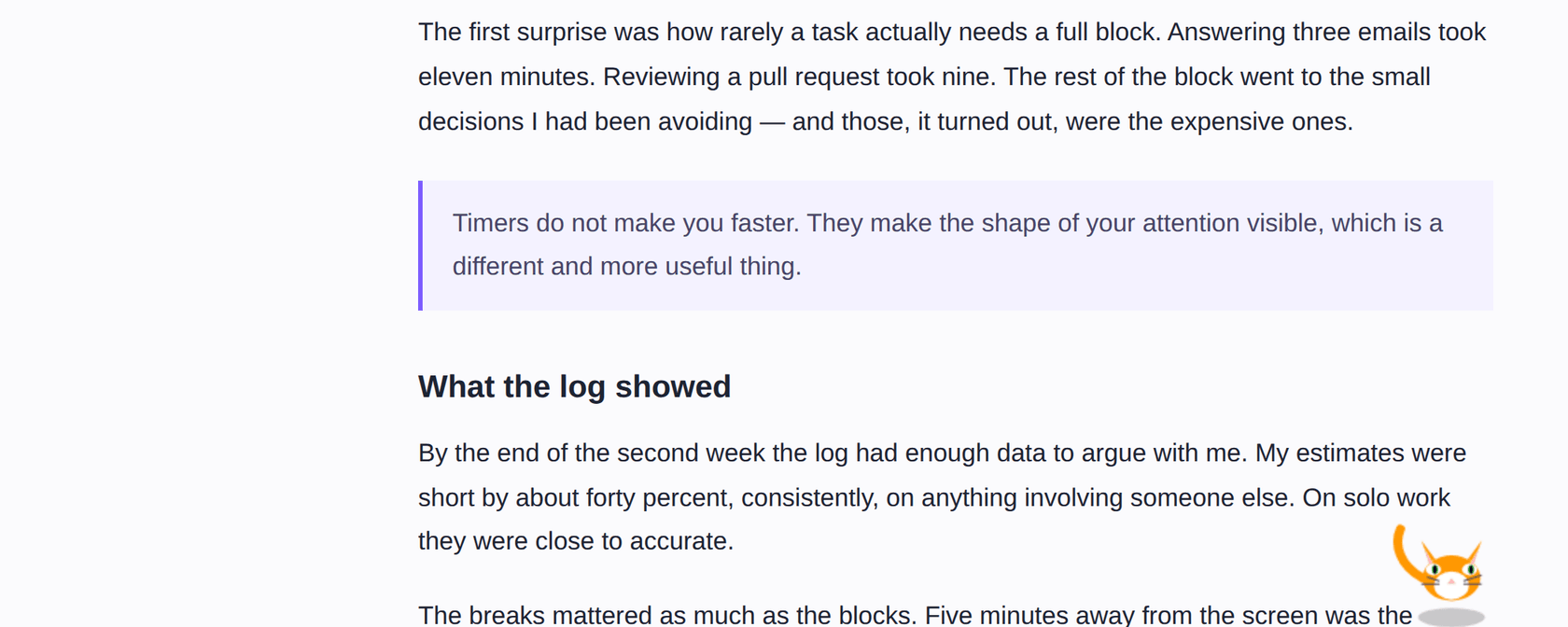
Install it once and your pet is there on every tab — walking, jumping, reacting to your cursor, dozing off when you go quiet. Click to pet it, drag it anywhere, double-click to talk.
An AI that knows the page
Ask it to summarise the article in front of you, pull out the key points, or explain the paragraph you just selected. It reads the open page only when you ask it to.
Something that keeps the clock
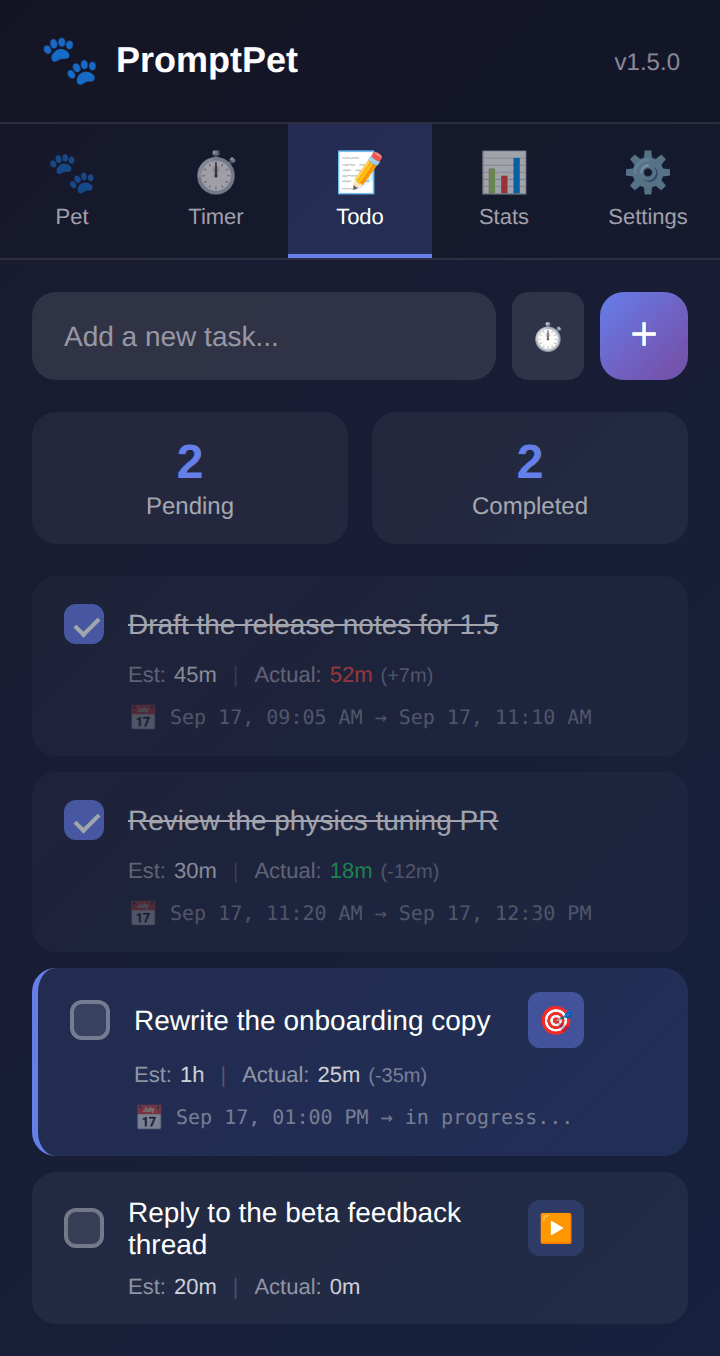
A focus timer, a todo list that compares your estimate with reality, and a work log with a daily streak — your pet cheering you on through the session.
What it does
Everything below works on your device. The AI is optional — without it the pet, the timer, the todos and the statistics all still work.
Five pets, each with their own character
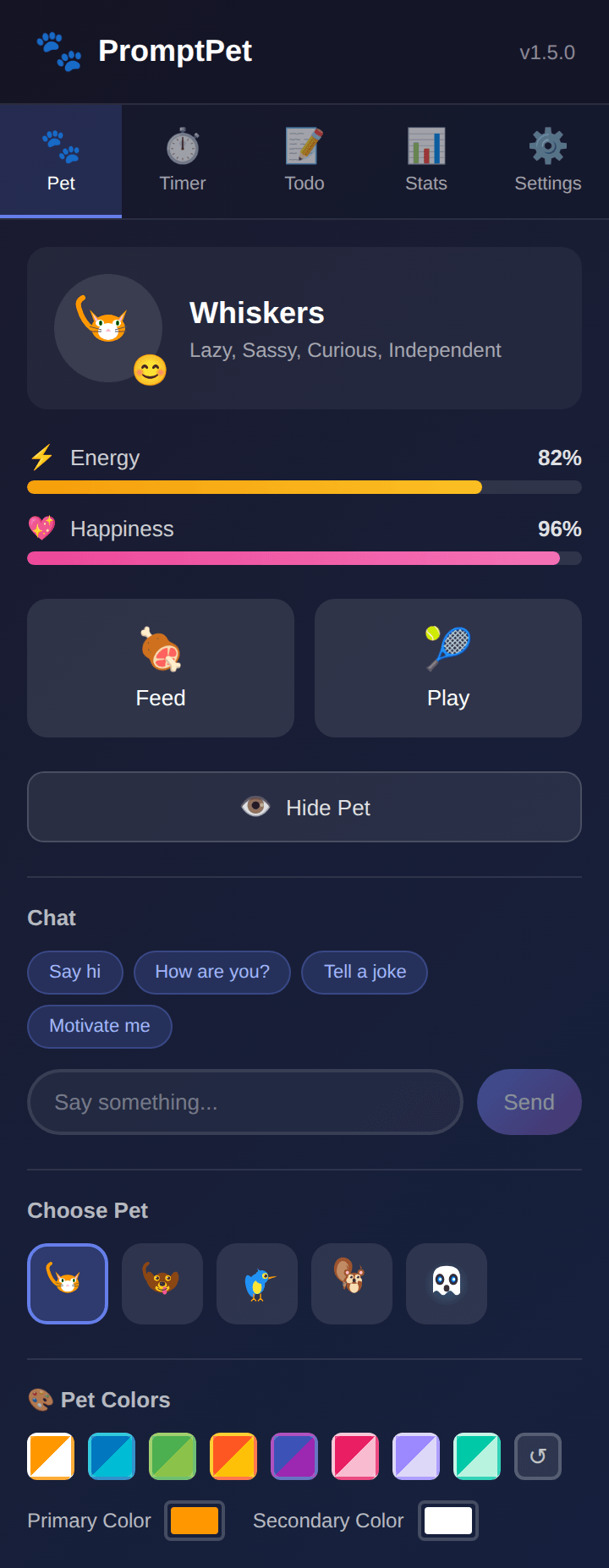
A cat, a dog, a bird, a squirrel and a ghost — drawn, animated and voiced individually. They walk with real physics, squash when they land, and their mood follows their energy and happiness.
- Click to pet it, drag to move it, double-click to open the chat.
- Shift+click for its signature trick — the cat plays with yarn, the bird pecks, the ghost teleports.
- Right-click for feed, play, chat and hide.
- Name it, recolour it with 8 presets or your own colours, or hide it with a keyboard shortcut.
Talk to it — by typing or out loud
Double-click your pet on any page and a chat panel slides in. Ask about the page, ask for a summary, ask it to explain your selection, or just chat. Turn voice on and you can speak instead of typing, with answers read back to you.
- Conversations are saved, searchable, and can be password-protected.
- Adjustable speech speed and voice, with auto-send after you stop speaking.
- Quick openers for when you don't know what to say: say hi, tell a joke, motivate me.
Run your browser by asking
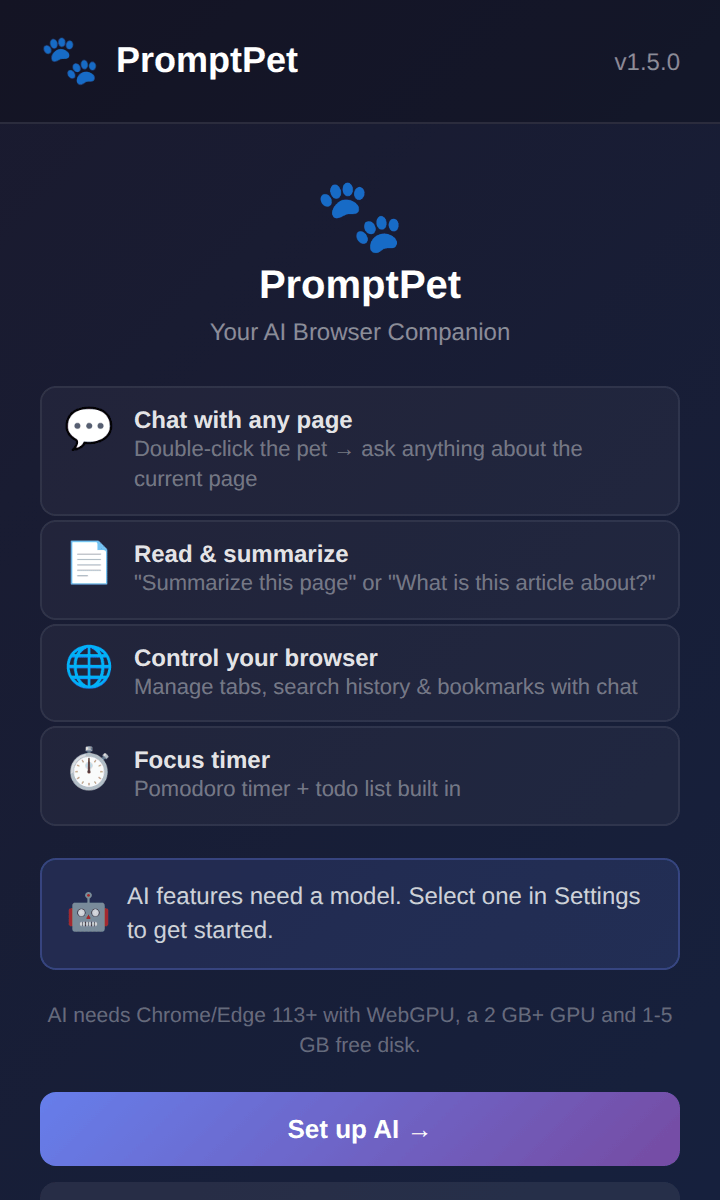
Tell your pet what you want in plain language — in any of the supported languages — and it does it. These work whether or not you have the AI switched on:
Focus tools that actually keep score
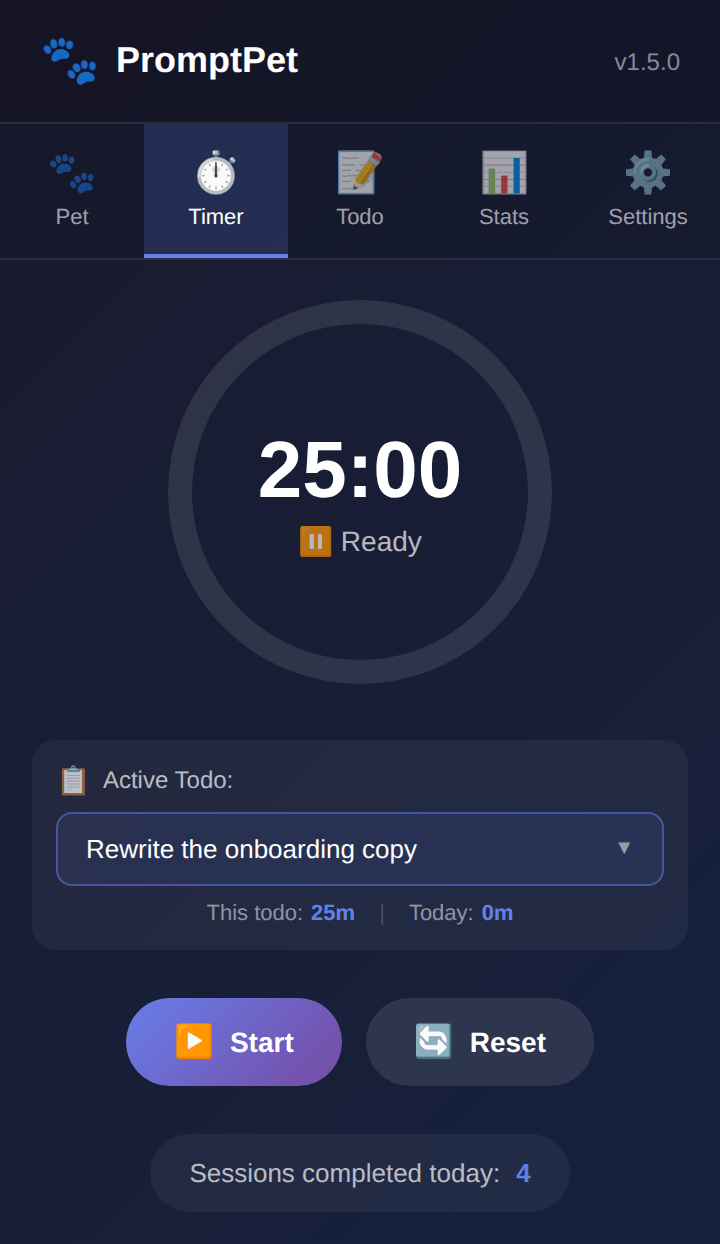
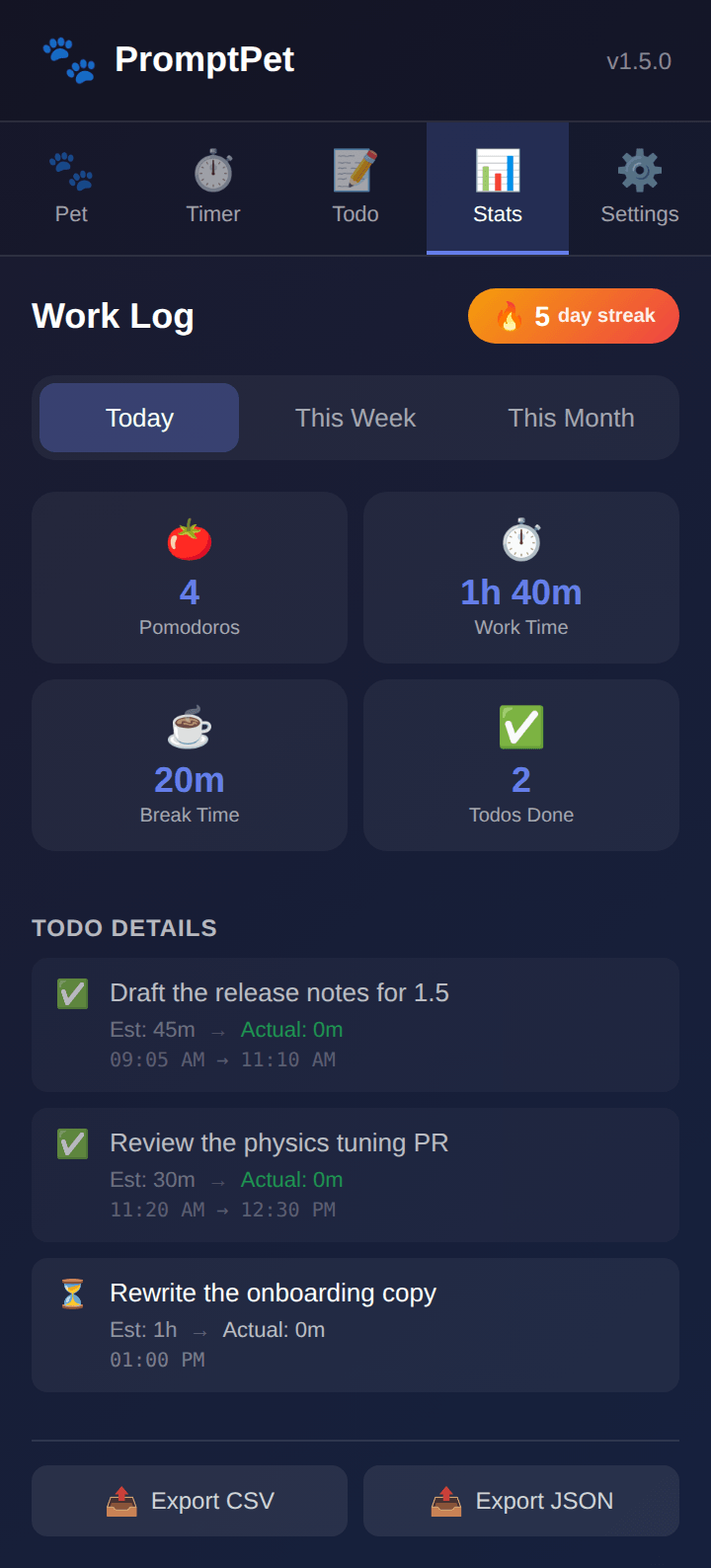
A Pomodoro timer with adjustable work and break lengths, tied to the task you are working on. Every session lands in a work log you can look at by day, week or month — and export as CSV or JSON.
- Each todo keeps your estimate next to the time you actually spent.
- A daily streak, a session count and a contribution-style activity grid.
- The pet reacts: it cheers you through a session and celebrates when you finish.
The AI runs on your computer
There is no server behind PromptPet. You pick a model, it downloads once, and from then on every answer is generated by your own graphics card — offline, free, and with nothing to log in to.
- Turn AI chat onExtension icon → Settings → AI, switch it on and pick a model. The recommended one is preselected for your hardware.
- Wait for the one-time downloadBetween 0.4 GB and 5 GB depending on the model you chose. It is stored inside your browser, not in a cloud account.
- Chat from any pageDouble-click the pet and ask away. Answers come at roughly 3–15 words per second depending on your graphics card.
- Stay offlineAfter the download you can unplug the internet and keep chatting. Switching models later downloads the new one.
What it needs
Chrome or Edge 113 or newer, with graphics acceleration switched on. 2 GB of graphics memory for the small models, up to 8 GB for the big ones, plus the same amount of free disk space. Firefox and Safari cannot run it.
It is optional
Leave AI off and nothing is ever downloaded. The pet, the timer, the todo list, the statistics and the tab commands all keep working on any machine.
The eleven models
Lightweight models answer faster and run on the integrated graphics most laptops have. The larger ones write better and reason further, but need a dedicated graphics card. You can switch whenever you like.
| Model | Download | Graphics memory | Languages | Best for |
|---|---|---|---|---|
| 💨 Lightweight — works on integrated graphics | ||||
| Qwen3 0.6B | ~400 MB | 1.4 GB | 119 | The lightest multilingual option — for older machines that still want 119 languages. |
| Llama 3.2 1B | ~500 MB | 880 MB | 8 | The fastest of them all. English chats on low-end hardware. |
| Gemma 2 2B ★ | ~1.2 GB | 1.9 GB | multilingual | The safe default: stable on Intel, AMD and NVIDIA alike. |
| Qwen3 1.7B ★ | ~900 MB | 2.0 GB | 119 | The best balance of quality and speed, and 119 languages. |
| ⚖️ Standard — 4 GB graphics memory | ||||
| Qwen3 4B | ~2.2 GB | 3.4 GB | 119 | Noticeably better reasoning than 1.7B, same language coverage. |
| Phi-3.5 Mini | ~2 GB | 3.7 GB | 23 | Remembers very long conversations (128K context). |
| Llama 3.2 3B | ~1.6 GB | 2.3 GB | 8 | Consistent, clean English on mid-range machines. |
| 🏆 Quality — 6 GB+ dedicated graphics card | ||||
| Qwen3 8B | ~4.6 GB | 5.7 GB | 119 | The best multilingual answers PromptPet can give. |
| Qwen2.5 7B | ~4 GB | 5.5 GB | 29 | Strong outside English, and good at code and maths. |
| Llama 3.1 8B | ~4.5 GB | 6 GB | 8 | The strongest English reasoning and general knowledge. |
| Gemma 2 9B | ~5 GB | 7 GB | multilingual | High-quality general chat when you have the memory for it. |
Not sure which to take? Take Gemma 2 2B if you are on a laptop with built-in graphics, or Qwen3 1.7B if you want your own language. If a download is blocked on your network, there is a mirror switch in the AI settings; if answers are slow, drop a tier or lower the context window to use less memory.
Every setting, explained
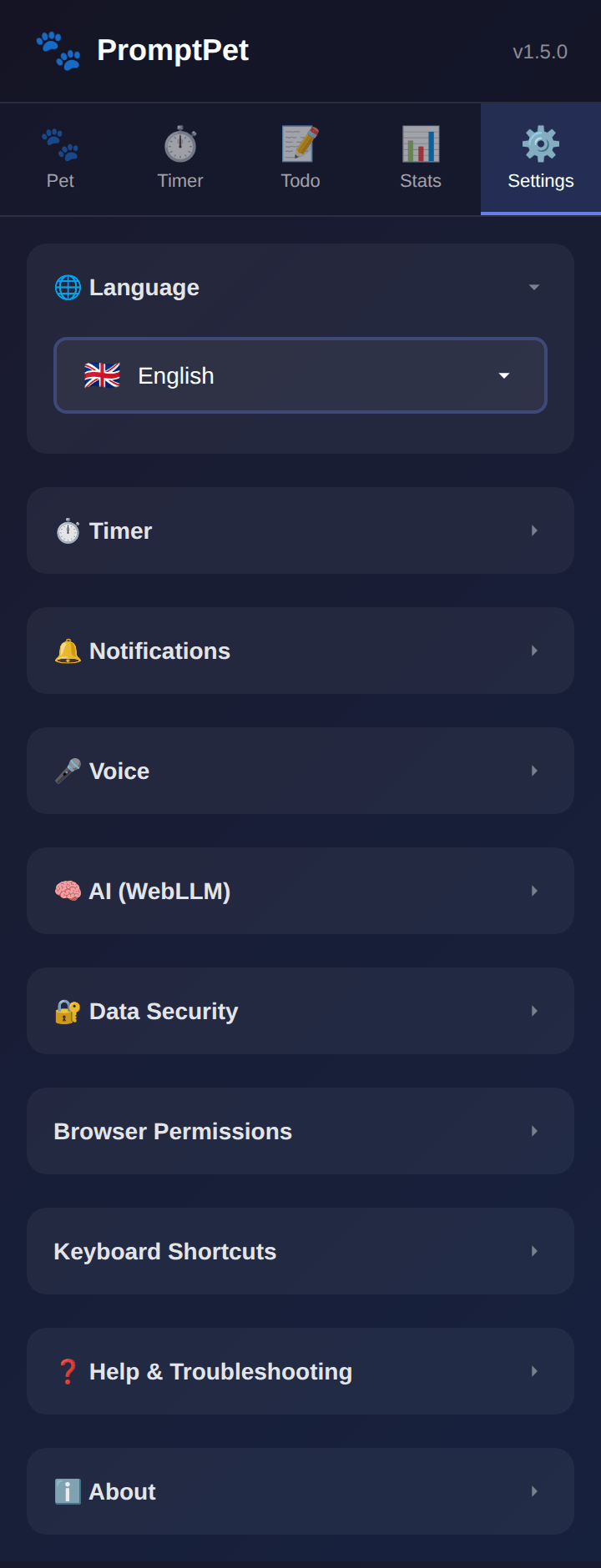
Click the PromptPet icon in the toolbar and open the Settings tab. Your pet's name, character and colours live on the Pet tab next to it.
Keyboard shortcuts
| Windows / Linux | macOS | Action |
|---|---|---|
| Alt+Shift+P | Ctrl+Shift+P | Show or hide the pet |
| Alt+Shift+F | Ctrl+Shift+F | Feed the pet |
| Alt+Shift+S | Ctrl+Shift+S | Start or stop the focus timer |
Your data stays with you
PromptPet has no servers, no accounts and no analytics. Everything it knows is stored in your browser, on your machine.
Nothing is uploaded
Your chats, todos, work log and pet live in your browser's own storage. No sync, no account, no tracking, no ads.
Pages are read only on request
When you ask about the page you are on, its text goes to the model running on your own computer — never to anyone else.
One download, then silence
The only network traffic is fetching the AI model you chose. Skip the AI and PromptPet never reaches the internet at all.
Your history and bookmarks stay off-limits until you switch those permissions on yourself, and you can turn them back off at any time.
Frequently asked
Is it really free?
Yes. There is no subscription, no credits and no paid tier hiding behind a feature. Because the AI runs on your own machine there is no bill to pass on.
Do I need a powerful computer?
Not for the pet, the timer, the todos, the statistics or the tab commands — those run anywhere. AI chat needs a graphics card with at least 2 GB of memory; the small models run fine on the integrated graphics in most laptops.
Which browsers does it work in?
Chrome, Edge, Brave, Opera and other Chromium browsers, version 113 or newer. Firefox and Safari are not supported.
Does it slow down the pages I visit?
The pet is a single lightweight animation layer on top of the page. The AI only works while you are asking it something, and it runs apart from the page you are reading.
Does it read everything I browse?
No. Page text is only collected when you explicitly ask something about the page — “summarise this”, “what is this article about?” — and it is handed to the model on your own device.
Can I use it without the AI?
Yes, and nothing is downloaded if you do. Everything except the free-form conversation works without a model.
What about incognito windows?
The model cache is wiped when the private session ends, so it would download again every time. Use a normal window for AI chat.
Which languages does it speak?
The interface comes in 15 languages. The chat itself follows the model you pick — the Qwen models cover 119 languages, so you can talk to your pet in your own.
Get in touch
Found a bug, want a feature, or spotted a bad translation in your language? Write to me — every message is read by the person who built it.
✉️ fatihsultanmehmetaltintas [at] gmail [dot] com